



1. Navigate to Google Docs
Click on the Docs logo to navigate towards Google Docs
Alternatively, type http://docs.google.com into the search bar or click here.

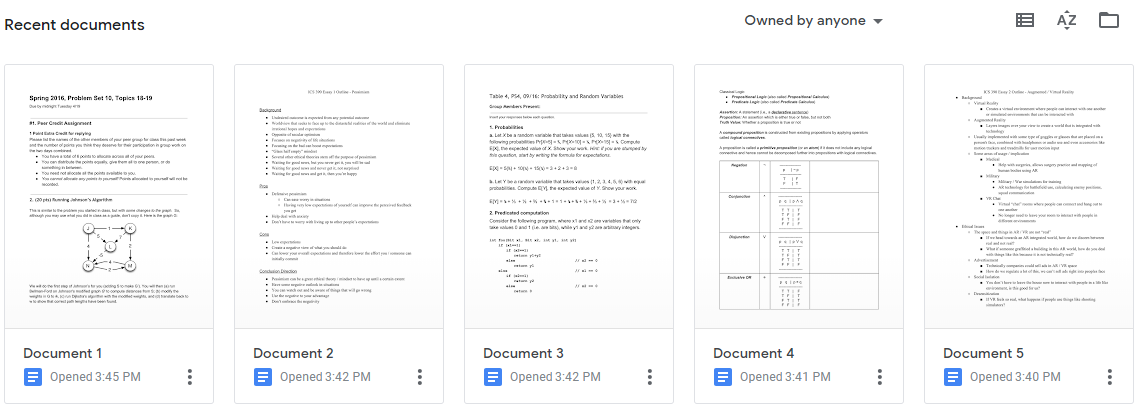
2. Select any document
Click on any document available in your Google Docs
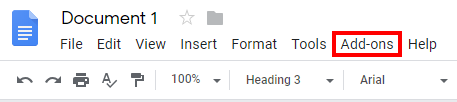
3. Click on Add-ons
In the top left hand corner, click on “Add-ons” from the toolbar
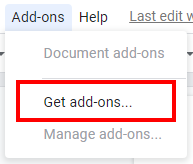
4. Click get add-ons…
From the drop down menu, click on “Get add-ons…”
5. Search for “Grackle”
In the upper right hand corner, search for “Grackle”
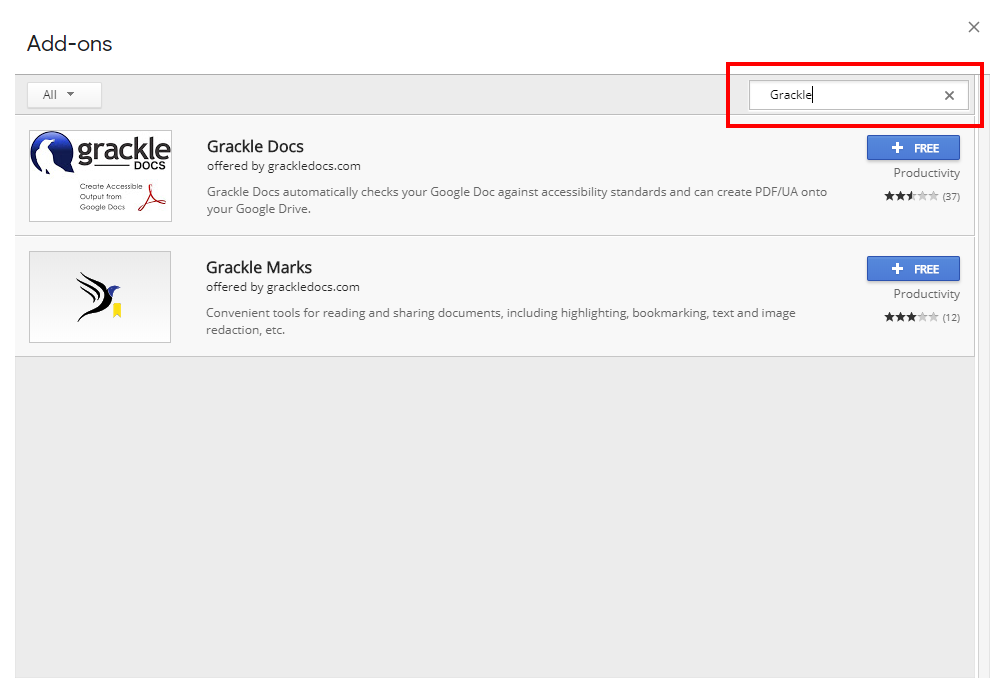
6. Add Grackle Docs to Google Docs
Click on the “+ FREE” button to add Grackle to Google Docs

7. Choose your hawaii.edu account
Click on your UH account to continue with Grackle setup

8. Allow Grackle to access to your Google Account
Click allow to let Grackle to be added to your Google Docs
